Intro To AWS IAM Enumeration
AWS credentialsIAM user: dev01Password: G3tt1ngStar73d!We can login to aws dashboard
Scenario
Section titled “Scenario”You are a security consultant hired by the global logistics company, Huge Logistics. Following suspicious activity, you are tasked with enumerating the IAM user dev01 and mapping out any potentially compromised resources. Your mission is to enumerate and evaluate IAM roles, policies, and permissions.company = huge logistics
tasked with enumerating IAM user dev01 and mapping out potentially compromised resources.
Enumerate and evaluate IAM roles.
https://us-east-1.console.aws.amazon.com/iam/home?region=us-west-1#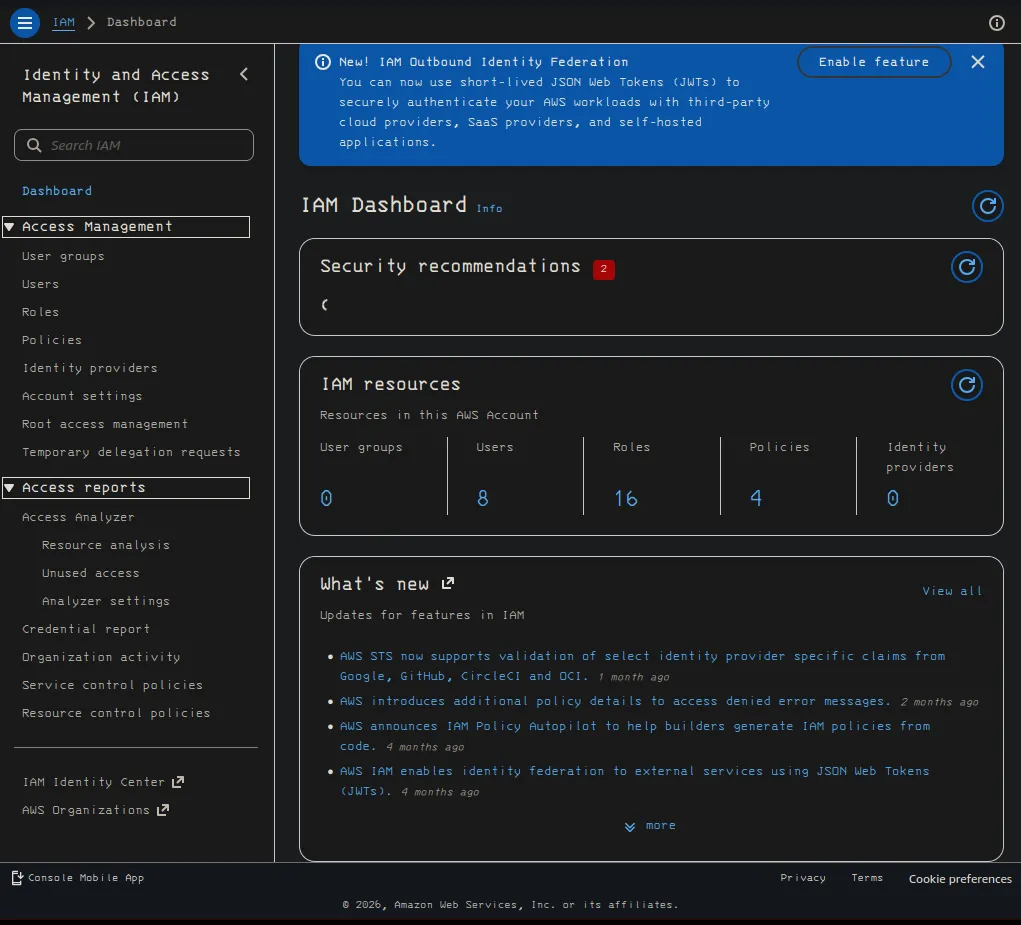
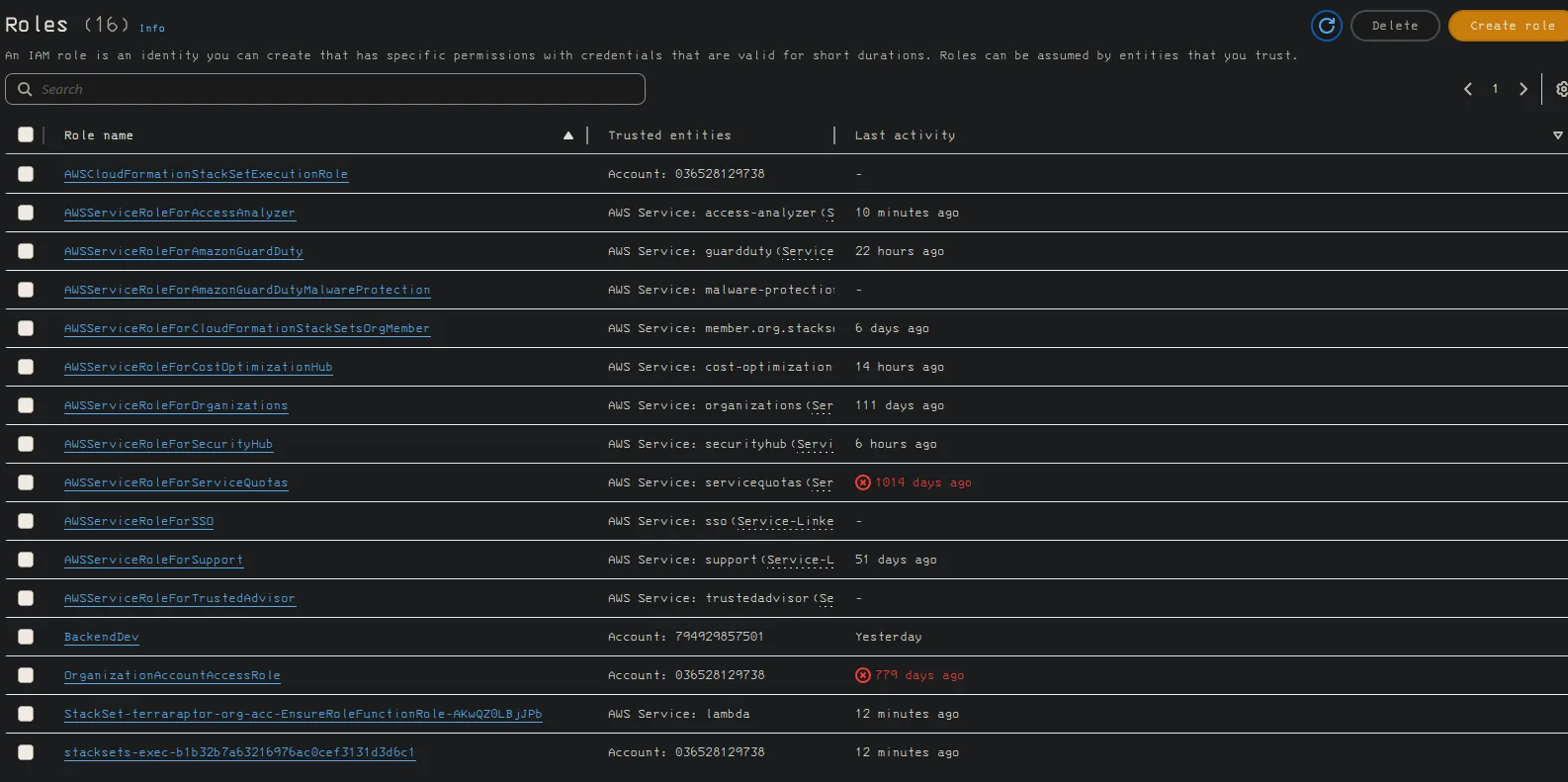
unable to create analyzer with dev1 user

User groups
Section titled “User groups”there are no user groups to manage.
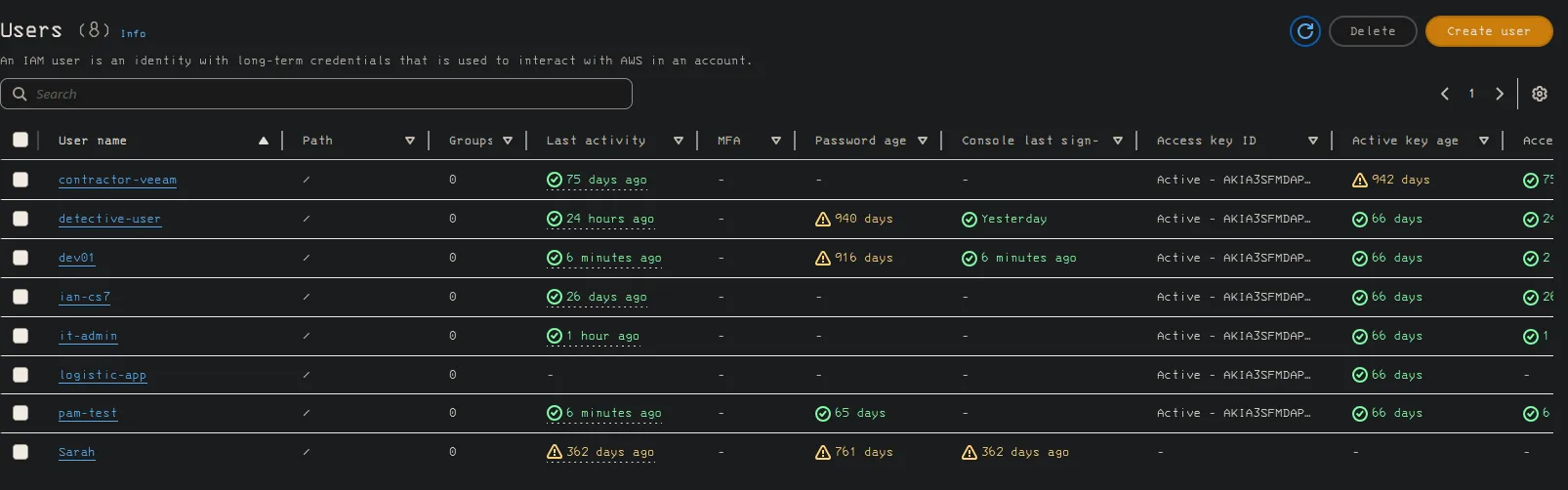
find ARN information, active access keys for user, and the permissions of the user
Contractor-veamm
Section titled “Contractor-veamm”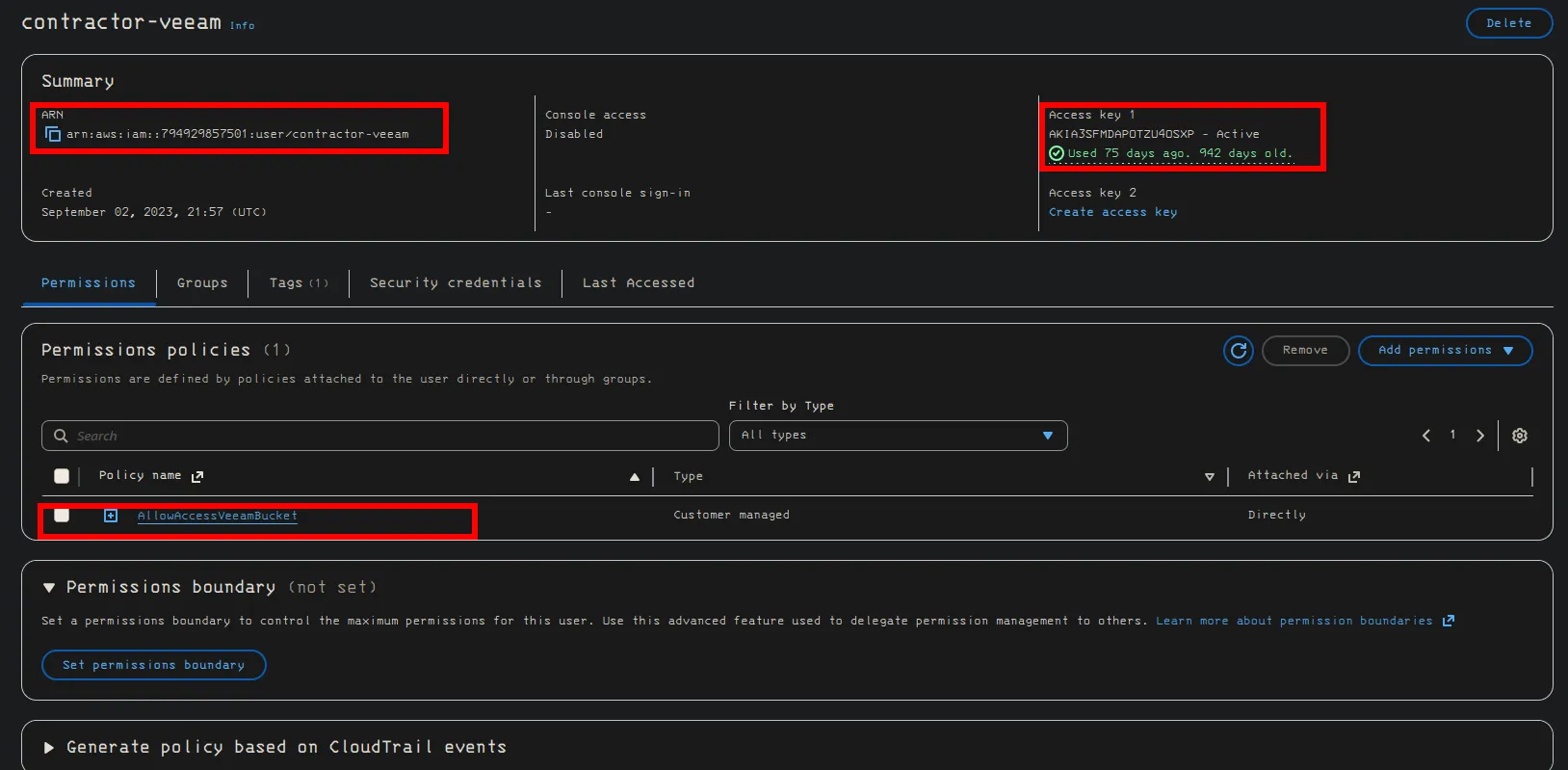
arn:aws:iam::794929857501:user/contractor-veeamaccess key
AKIA3SFMDAPOTZU4OSXPAllowAccessVeeamBucket
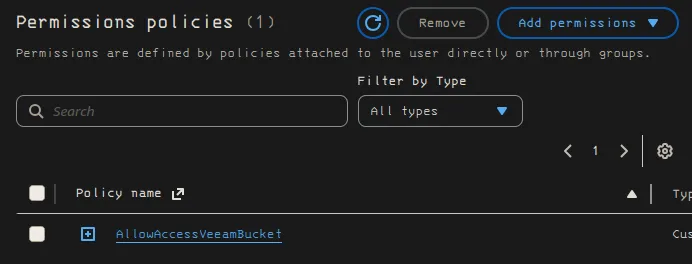
What is Veeam? It is a cloud backup service used by big commpanies. They have AI and data integration,
backup and replication, for on prem and cloud instance for Data Resilience
detective-user
Section titled “detective-user”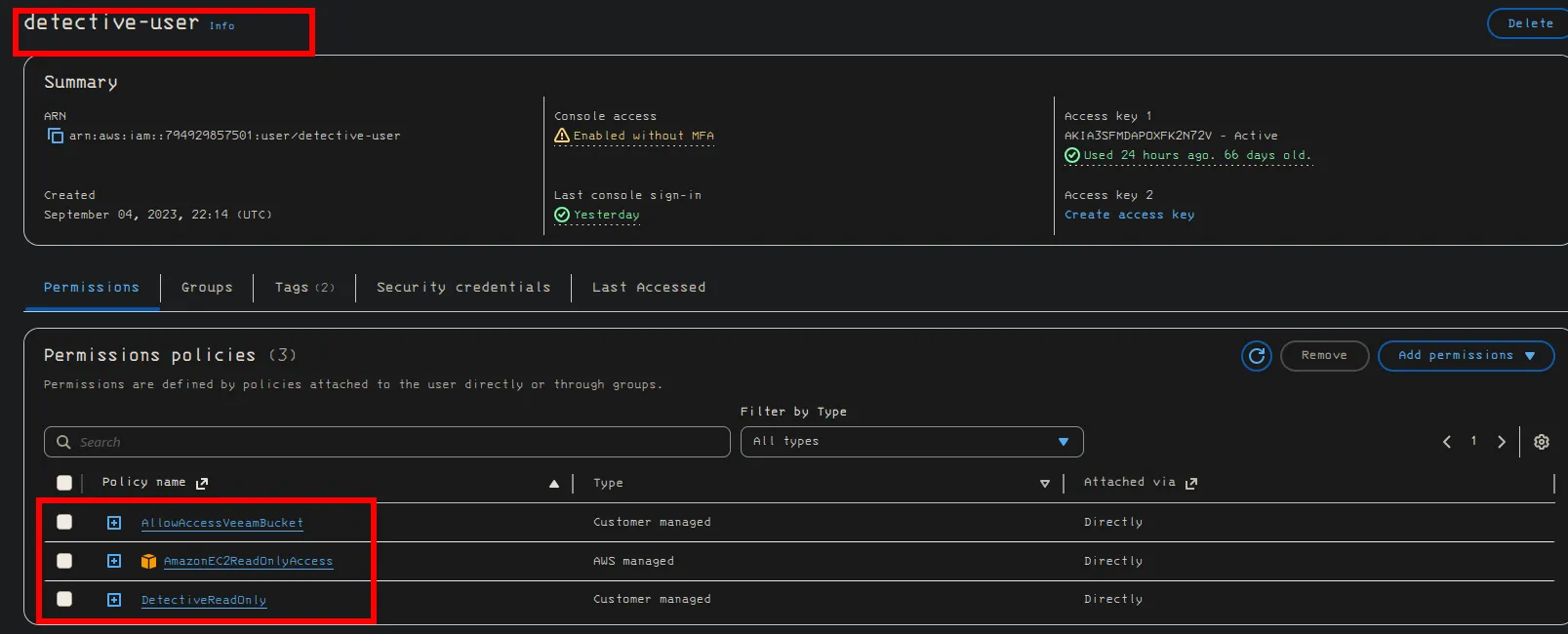
DEV01aws iam list-groups-for-user —user-name dev01
Section titled “DEV01aws iam list-groups-for-user —user-name dev01”We can see that DEV01 is a user that we currently have permissions with it has permissions to read the guarduser instance, I believe that guard user is for
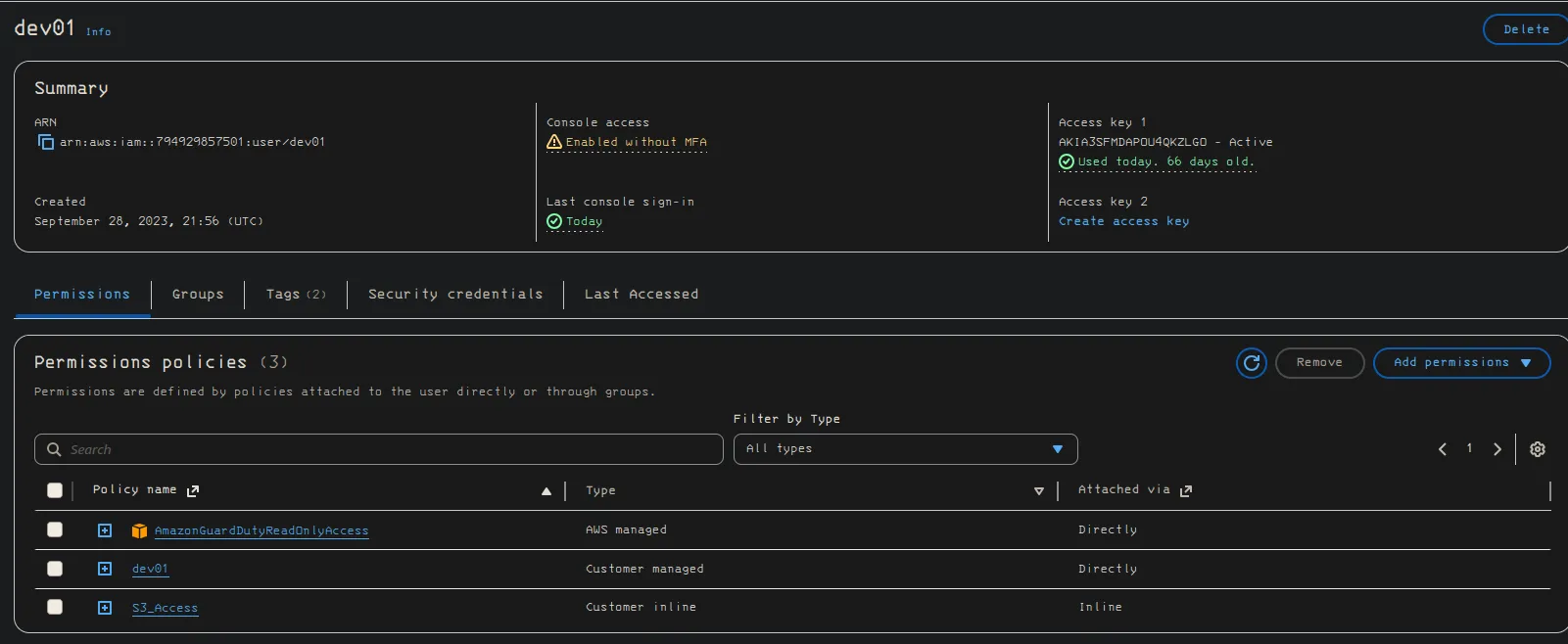
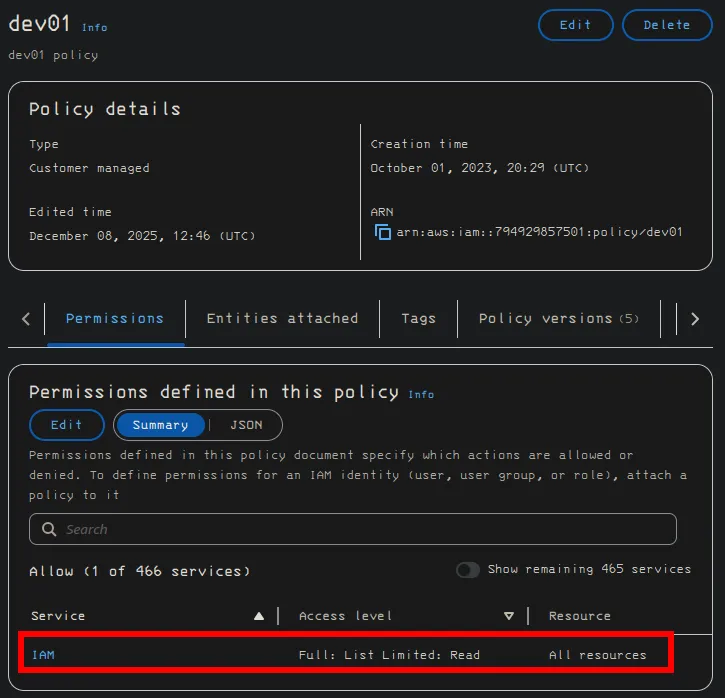
so this is the permission that allows us to read all the IAM permissions in the dashboard
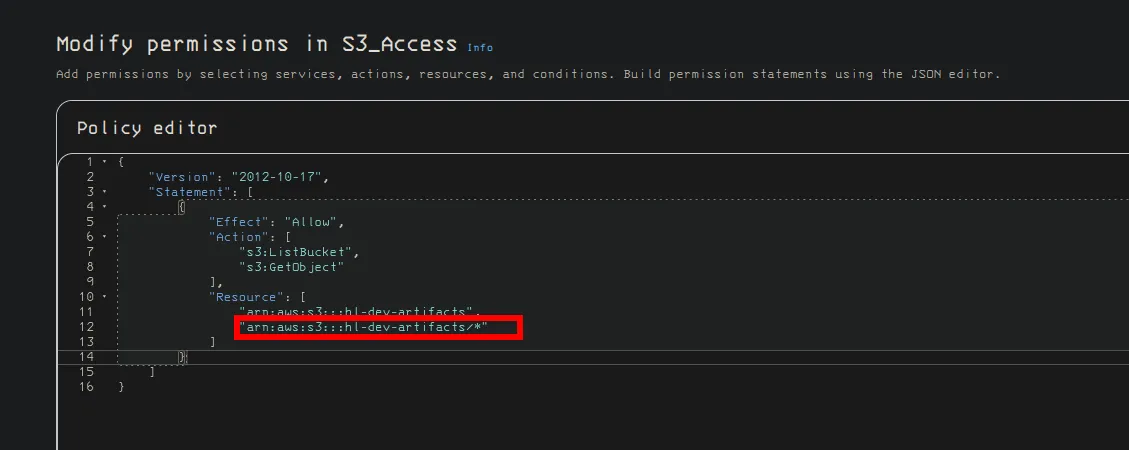
we have S3 bucket access, this wild card here could potentially lead to security cocerns
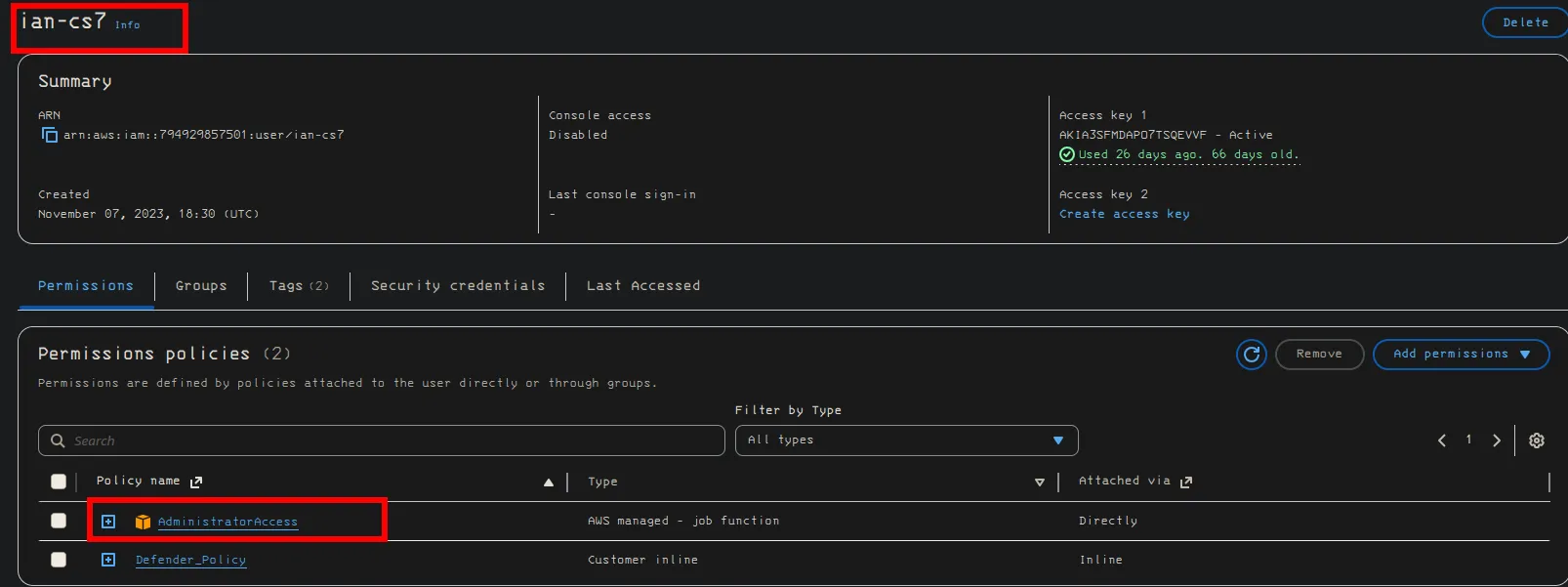
ian-cs7
Section titled “ian-cs7”administrative privileges
it-admin
Section titled “it-admin”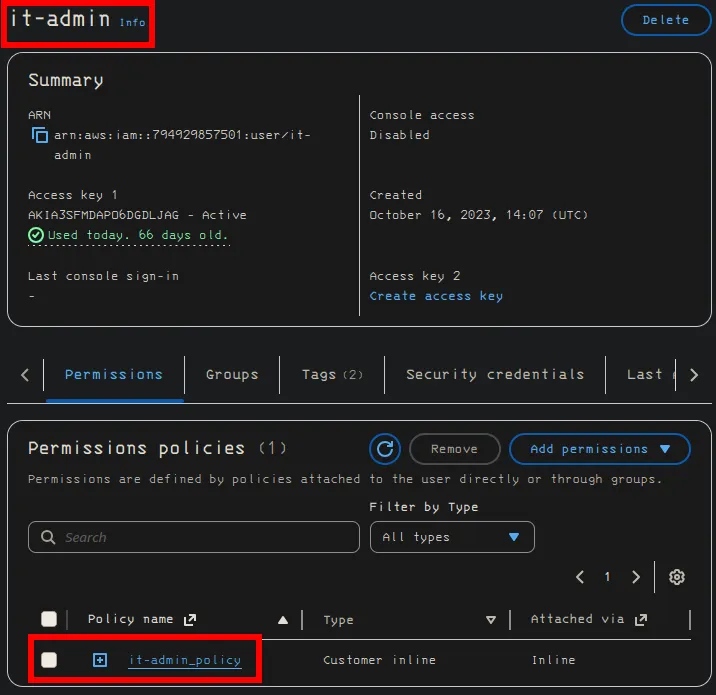
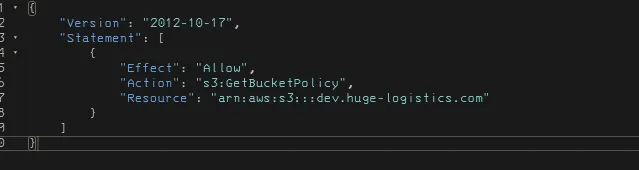
we can look into the it-admin-policy and see that the policy allows you to read all the s3 buckets including admin.
logistic-app
Section titled “logistic-app”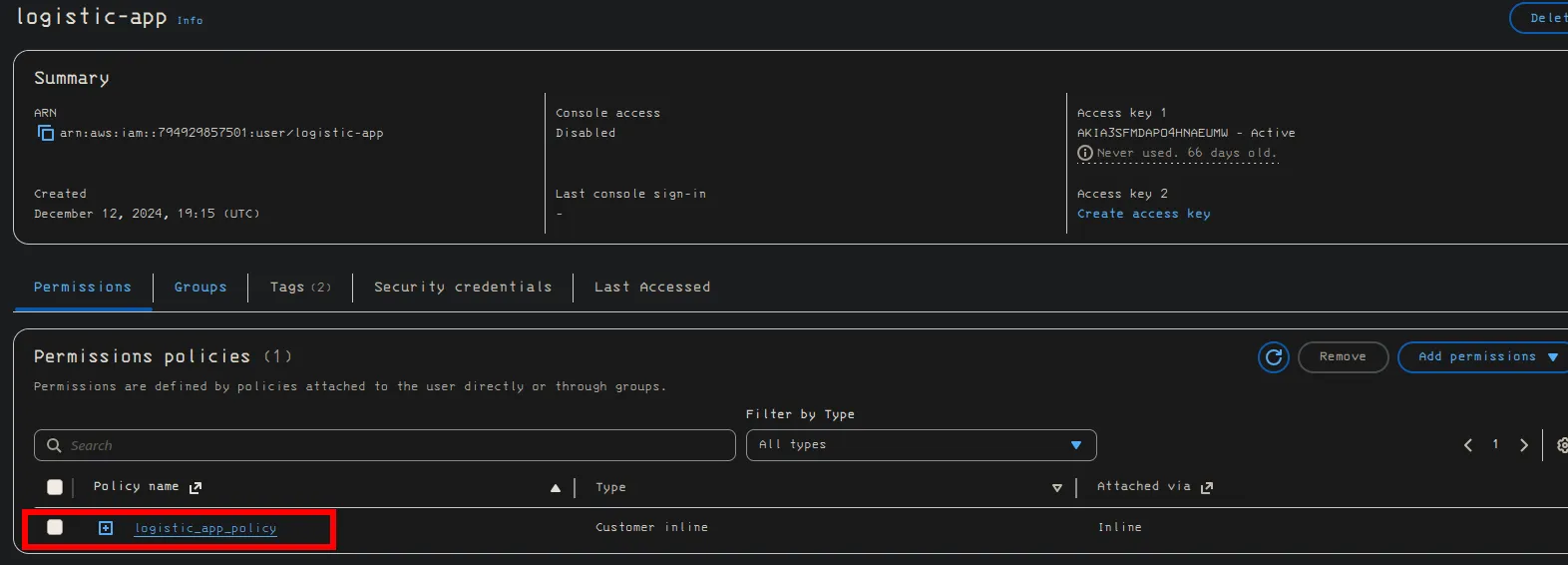
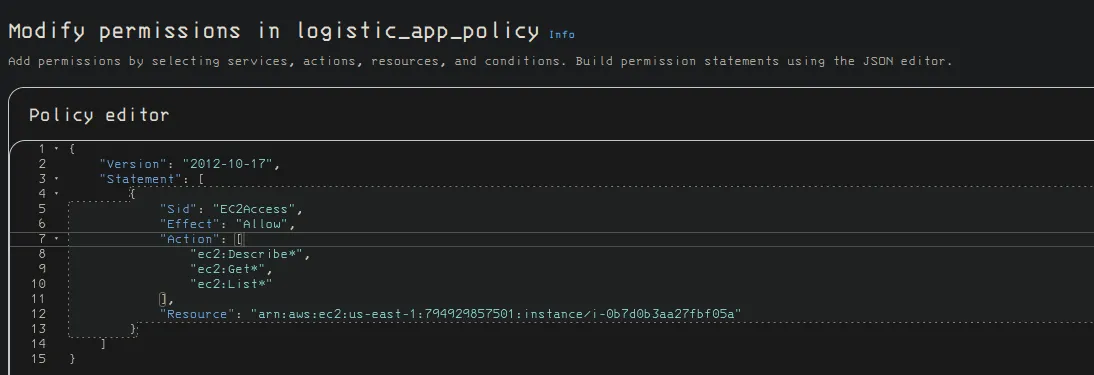
logistic app has EC2 access, you can describe the EC2 instance, list out the instances, and get
wild card

We get the name of the resource that they have access to which is the arn line.
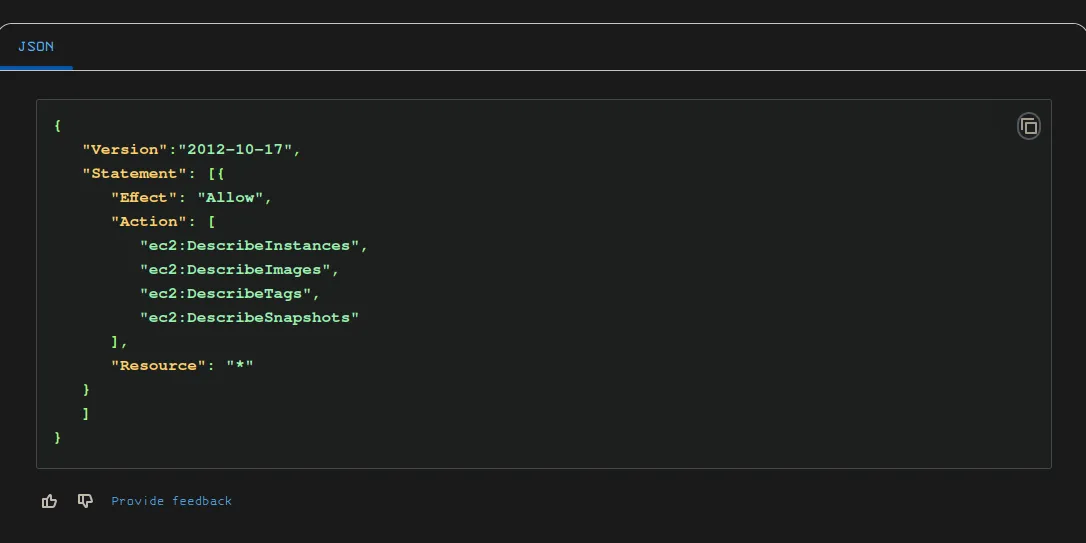
researching the IAM policies in more depth to see what exactly each one does. https://docs.aws.amazon.com/AWSEC2/latest/UserGuide/iam-policies-ec2-console.html
example of read only access on all resources with a wild card
Other users
Section titled “Other users”Sarah and Pam-test both don’t have any extra permissions set in the IAM console.
Ways in which to interact with AWS, you can use AWS SDKs, AWS Management console, and APIs
Guard Duty
Section titled “Guard Duty”Interact with AWS GuardDuty
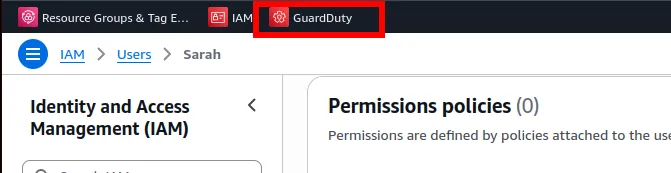
we can check the findings and alerts to see brute force attempts
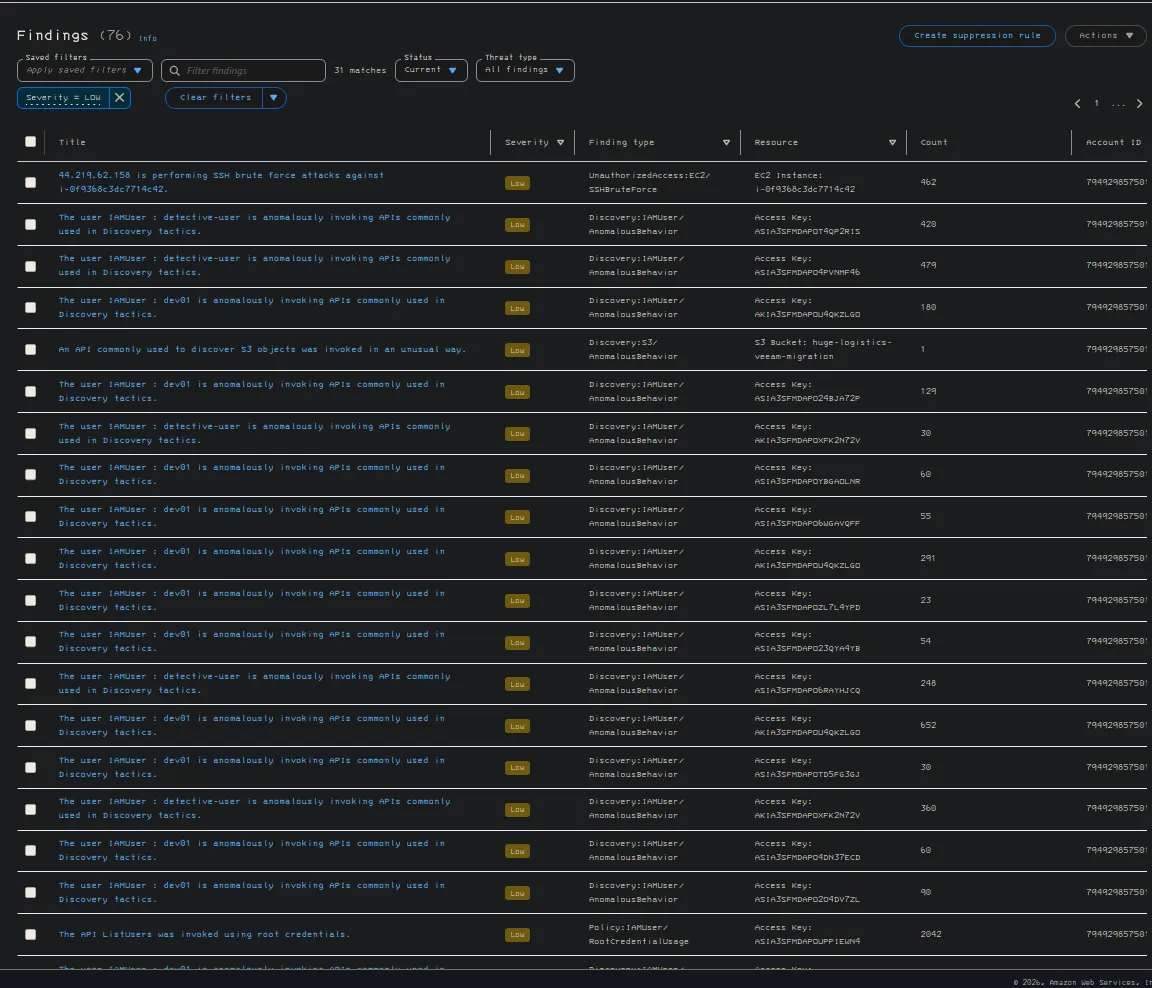
this type is interesting


the Access Key and Secret Access Key together form a set of crednetials that are used to auth to using the API. These Keys are gnerated through AWS management console and are linked to IAM uuser or AWS root account.
ACCESS KEY ID
This is a 20 character alphanumeric, used to identify the user or account making a programmatic request to an AWS service. IT is meant to be shared like a username.
Secret ACCESS KEY
This is a 40 chracter string and serves as a password to auth rquests amade with the corresponding Access ID, unlike the Access Key ID this secret key should never be shared.
we can see that these users might be compromised according to guard duty
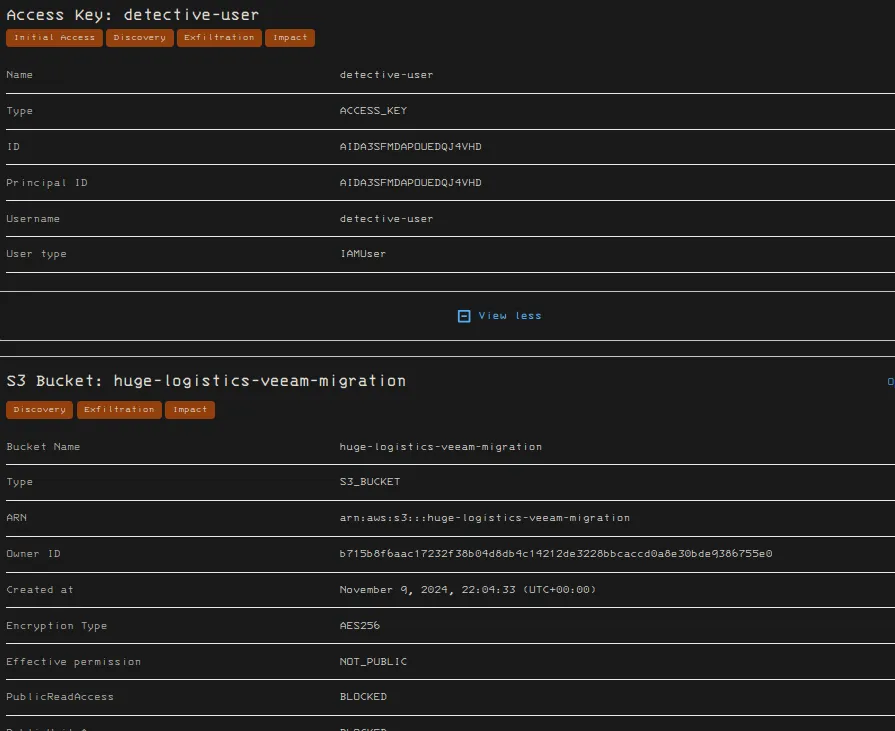
Access key and Secret
Section titled “Access key and Secret”AKIA3SFMDAPOU4QKZLGOOIMngHtqvAZkRf6D8s7HJ2KQKnUoBTqNBX9Nk+11
aws iam get-user[root@kali ~/Sec]$ aws iam get-user{ "User": { "Path": "/", "UserName": "dev01", "UserId": "AIDA3SFMDAPOWFB7BSGME", "Arn": "arn:aws:iam::794929857501:user/dev01", "CreateDate": "2023-09-28T21:56:31+00:00", "PasswordLastUsed": "2026-04-02T16:26:40+00:00", "Tags": [ { "Key": "AKIA3SFMDAPOU4QKZLGO", "Value": "dev01" }, { "Key": "AKIA3SFMDAPOWC2NR5LO", "Value": "dev01" } ] }}we can see that there is two Access key IDs
Enumerate groups
Section titled “Enumerate groups”aws iam list-groups-for-user --user-name dev01We can see there is no groups that we are apart of as dev01
[root@kali ~/Sec]$ aws iam list-groups-for-user --user-name dev01{ "Groups": []}this is list inline policies
aws iam list-user-policies --user-name $Un[root@kali ~/Sec]$ aws iam list-user-policies --user-name $Un{ "PolicyNames": [ "S3_Access" ]}we can see there is S3 access wit hthe user plicies we enumerate
This is how we enumerate our attached policiesi
aws iam list-attached-user-policies --user-name dev01[root@kali ~/Sec]$ aws iam list-attached-user-policies --user-name $Un{ "AttachedPolicies": [ { "PolicyName": "AmazonGuardDutyReadOnlyAccess", "PolicyArn": "arn:aws:iam::aws:policy/AmazonGuardDutyReadOnlyAccess" }, { "PolicyName": "dev01", "PolicyArn": "arn:aws:iam::794929857501:policy/dev01" } ]}how to dig into our permissions using the aws cli
we are diging into the fact we have guarduty policies
aws iam list-policy-versions --policy-arn arn:aws:iam::aws:policy/AmazonGuardDutyReadOnlyAccess[root@kali ~/Sec]$ aws iam list-policy-versions --policy-arn 'arn:aws:iam::aws:policy/AmazonGuardDutyReadOnlyAccess'{ "Versions": [ { "VersionId": "v4", "IsDefaultVersion": true, "CreateDate": "2023-11-16T23:07:06+00:00" }, { "VersionId": "v3", "IsDefaultVersion": false, "CreateDate": "2021-02-16T23:37:57+00:00" }, { "VersionId": "v2", "IsDefaultVersion": false, "CreateDate": "2018-04-25T21:07:17+00:00" }, { "VersionId": "v1", "IsDefaultVersion": false, "CreateDate": "2017-11-28T22:29:40+00:00" } ]}we can ssee that there are 4 versions of our guard duty permissions. We need to list out what the version 4 which is the only true one, which is the policy that is active on dev01
the way we do that is adding this argument at the end of our previous command
to get an invidiual policy you have to change the command completely to be
‘get-policy-version’ instead of ‘list-policy-versions’
aws iam get-policy-version --policy-arn arn:aws:iam::aws:policy/AmazonGuardDutyReadOnlyAccess --version-id v4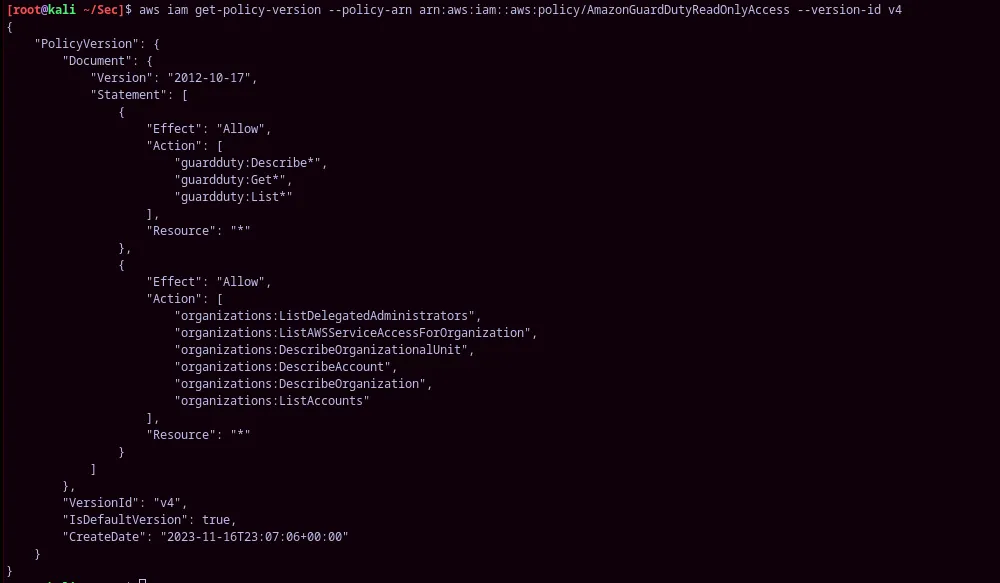
aws iam get-policy-version --policy-arn arn:aws:iam::794929857501:policy/dev01 --version-id v7{ "PolicyVersion": { "Document": { "Version": "2012-10-17", "Statement": [ { "Sid": "VisualEditor0", "Effect": "Allow", "Action": [ "iam:GetRole", "iam:GetPolicyVersion", "iam:GetPolicy", "iam:ListPolicyVersions", "iam:GetUserPolicy", "iam:ListGroupsForUser", "iam:ListAttachedUserPolicies", "iam:ListUserPolicies", "iam:GetUser", "iam:ListAttachedRolePolicies", "iam:GetRolePolicy" ], "Resource": [ "arn:aws:iam::794929857501:user/dev01", "arn:aws:iam::794929857501:role/BackendDev", "arn:aws:iam::794929857501:policy/BackendDevPolicy", "arn:aws:iam::794929857501:policy/dev01", "arn:aws:iam::aws:policy/AmazonGuardDutyReadOnlyAccess" ] } ] }, "VersionId": "v7", "IsDefaultVersion": false, "CreateDate": "2023-10-11T19:59:08+00:00" }}we are now looking at the customer managed polciies
aws iam get-policy-version --policy-arn arn:aws:iam::794929857501:policy/dev01 --version-id v8{ "PolicyVersion": { "Document": { "Version": "2012-10-17", "Statement": [ { "Sid": "VisualEditor0", "Effect": "Allow", "Action": [ "iam:Get*", "iam:List*" ], "Resource": "*" } ] }, "VersionId": "v8", "IsDefaultVersion": true, "CreateDate": "2025-12-08T12:46:13+00:00" }}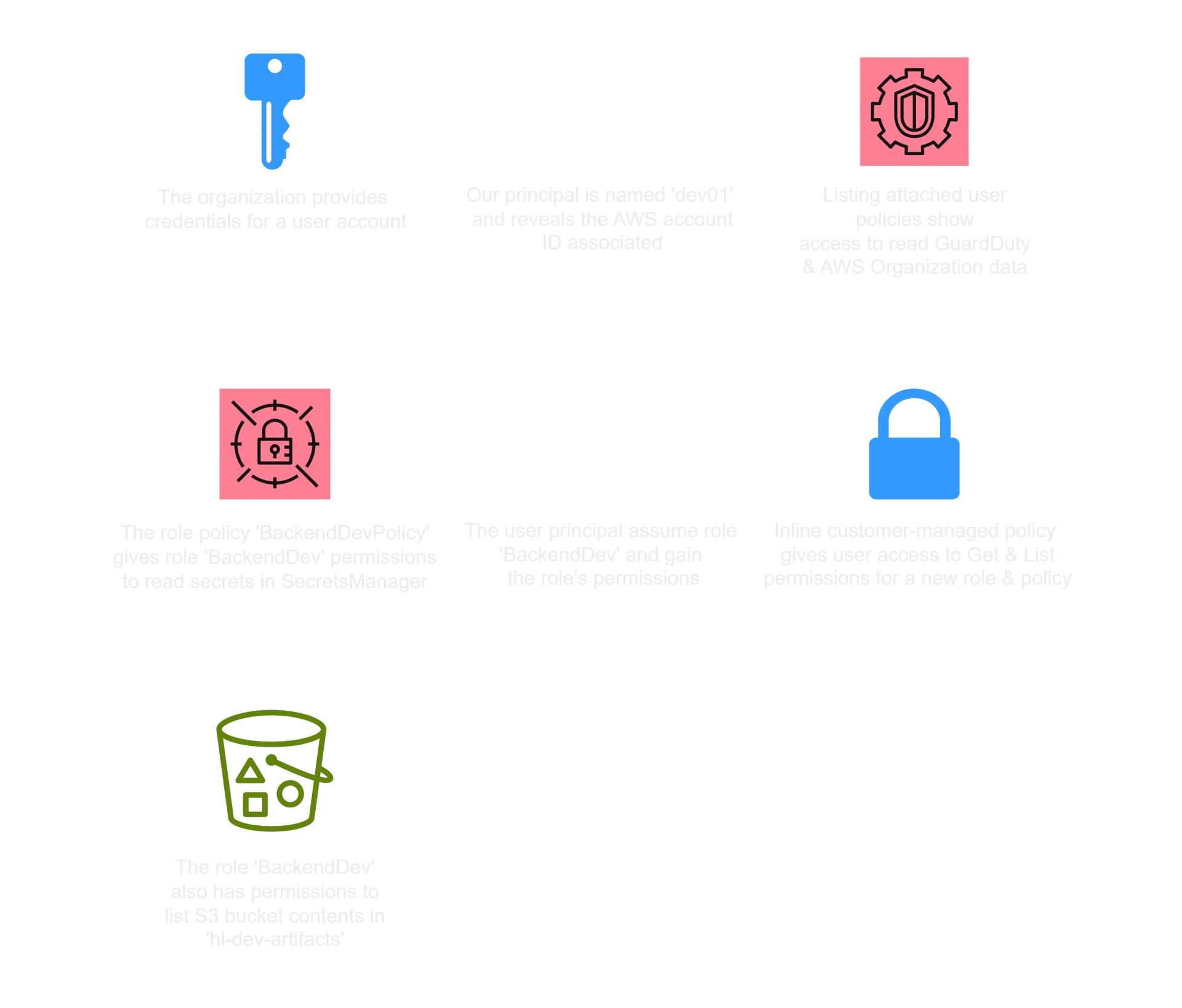
the s3 bucket that is compromised
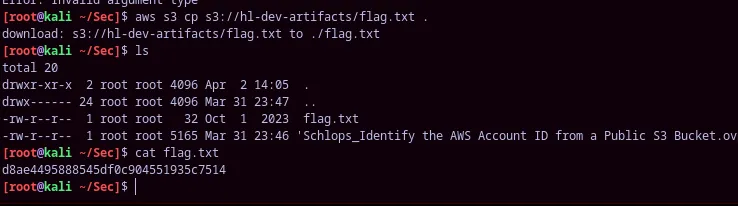
huge-logistics-veeam-migrationaws s3 cp s3://hl-dev-artifacts/flag.txt .